Memory Partitioning for OTA in BLE Devices — Strategies from Real Products
In previous episodes, we learned why OTA (Over-The-Air) firmware updates are crucial and how they work in practice. Now let’s go even deeper — into memory partitioning, one of the most critical aspects of building a reliable OTA system.
Whether you’re building a BLE device with 256 KB flash or 4 MB, partitioning your memory the right way will determine:
- How safely updates can be written,
- Whether rollback is possible,
- How secure and resilient your boot process is.
Why Partitioning Matters in OTA
During an OTA update, firmware cannot overwrite itself — it would crash in the middle of flashing. So, we need spare memory where the new image is written first, then activated after reboot.
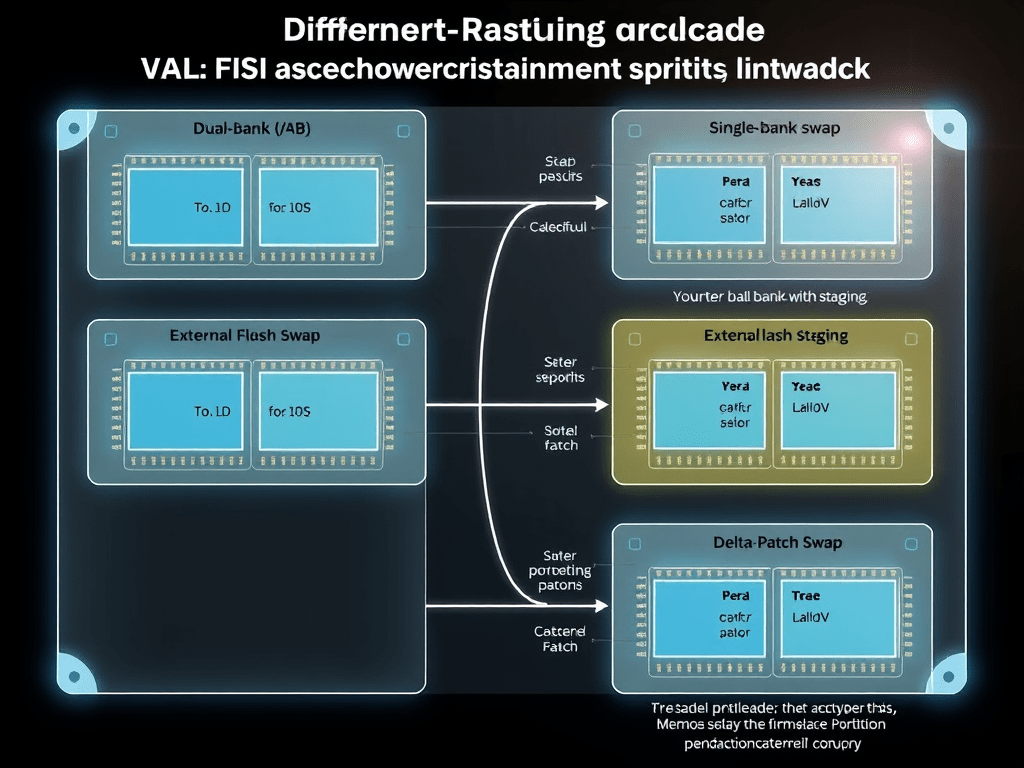
This leads us to multiple partitioning schemes like:
- Dual-bank (A/B)
- Single-bank with swap
- External flash staging
- Compressed / delta-patch partitioning
Partition Types (with Flash Map Examples)
Let’s look at real-world strategies from consumer electronics and developer SoCs.
1. Dual-Bank Partitioning (A/B Scheme)
How It Works:
- Two firmware slots: App Slot A and App Slot B
- OTA writes to inactive slot
- On success, bootloader switches to the new one
Benefits:
- Safe rollback
- Simple upgrade logic
- Fast boot
Used In:
- Fitbit Charge 5
- STM32WB (custom OTA)
- Android A/B partitions (for bigger systems)
Flash Map Example:
[ 0x08000000 - 0x08003FFF ] Bootloader (16 KB)
[ 0x08004000 - 0x08023FFF ] App Slot A   (128 KB)
[ 0x08024000 - 0x08043FFF ] App Slot B   (128 KB)
[ 0x08044000 - 0x08044FFF ] Settings / Boot Flags (4 KB)
2. Single-Bank + Swap Strategy
How It Works:
- Only one app slot
- OTA writes new firmware to a temporary location
- On reboot, bootloader swaps the new image into the app slot (often block by block)
Benefits:
- Less flash needed
- More complex bootloader logic
- Requires power failure protection during swap
Used In:
- MCUBoot with STM32, Nordic
- Echo Buds (Gen 1), where internal flash is tight
Flash Map Example:
[ 0x08000000 - 0x08003FFF ] Bootloader (16 KB)
[ 0x08004000 - 0x08023FFF ] Application (128 KB)
[ 0x08024000 - 0x08043FFF ] Swap / Temp Area (128 KB)
[ 0x08044000 - 0x08044FFF ] Metadata (4 KB)
3. External Flash Staging
How It Works:
- OTA image is written to an external SPI flash
- Verified externally
- Bootloader copies it into internal flash after reboot
Benefits:
- Avoids internal memory limits
- Great for updates > internal flash size
Used In:
- Wear OS watches
- Smart speakers with BLE fallback
- Alexa-compatible gadgets with QSPI flash
4. Delta Update with Patch Partitions
How It Works:
- Only the changed part of the firmware is sent
- Patch is stored temporarily
- Bootloader applies patch to current firmware
Benefits:
- Very low bandwidth
- Fast BLE OTA
- Harder to implement (requires patch engine)
Used In:
- Apple Watch
- Oura Ring (Gen 3)
- Fitbit Premium devices
Reserved Memory Regions
Regardless of OTA style, a few regions are always necessary:
| Region | Purpose |
|---|---|
| Bootloader (RO) | Startup logic + OTA handler |
| Settings/Metadata | Boot flags, firmware version, status, CRC |
| OTA Buffer / Staging | Temporary area to hold downloaded firmware |
| Application Slot(s) | Where firmware is executed from |
STM32WB Example Partition Table (256 KB Flash)
| Region | Start Address | Size | Purpose |
|---|---|---|---|
| Bootloader | 0x08000000 | 16 KB | Minimal OTA bootloader |
| App Slot A | 0x08004000 | 112 KB | Running app |
| App Slot B | 0x08020000 | 112 KB | OTA target slot |
| OTA Metadata | 0x0803F000 | 4 KB | SHA, version, flags |
| BLE Stack (RO) | Option Bytes | Varies | Sometimes stored separately |
Best Practices for Flash Partitioning
- ✅ Always reserve space for bootloader logic
- ✅ Keep application slots aligned to flash erase boundaries (typically 4K or 8K)
- ✅ Use CRC or SHA256 in metadata to ensure integrity
- ✅ Use last known good flags for rollback capability
- ❌ Don’t store persistent settings inside OTA partitions
Flash Partition + Security
Partition layout also affects security:
- Store bootloader and public key in read-protected region
- Make metadata tamper-proof (signed headers)
- Enable readout protection (RDP) for SoCs like STM32 or Nordic
Example: Fitbit devices use encrypted OTA + verified hash stored in a protected flash area. If the metadata doesn’t match post-reboot, update is rejected.
Wrap-up
Designing your memory map is the first step in building a reliable and secure OTA system. With BLE devices often constrained in flash size and power, choosing the right layout — and sticking to proven industry patterns — can make or break your update mechanism.
 HardFault
Leave a comment